


Sutter Health My Health Online
4.11.94K Reviews
App Specs
- Version
- 11.7.2
- Updated On
- License
- Free
- Downloads
- 500,000+
- Developer
- Sutter Health
- Categories
- Medical
- Platform
- Android, iOS
Screenshots
 Analysis by AppCompare
I judge a patient app less by how many buttons it has than by whether it helps me handle ordinary healthcare tasks without losing track of what belongs where. Sutter Health My Health Online is a medical app from Sutter Health, built around access to care and personal health information for people using that network. Its value is most apparent when it sits alongside an established relationship with Sutter providers; it is not a general-purpose medical record that replaces every clinic’s own system.
What the app is best suited to do
For a patient who already receives care through Sutter Health, a phone-based route to health information can make small administrative jobs easier to fit into the day. Instead of treating every appointment, message, or result as something that requires a separate call or a search through old paperwork, the app offers a place to look for relevant information. That convenience matters most when I need to prepare for a visit or keep a practical detail close at hand, not when I expect a phone app to make medical decisions for me.
The important distinction is that this is a healthcare access app tied to Sutter Health, rather than a directory for choosing any doctor or a universal record that automatically gathers care from every provider. If most of my care takes place elsewhere, I would not expect it to become my one-stop health organizer. I would use the patient portal associated with the organization responsible for that care, and keep this one for Sutter-related needs.
How it fits into a real day
Imagine getting ready for a Sutter appointment during a busy workday. I might check the app beforehand for the appointment details and any information I need to review, then use what is available to make a short list of questions. That preparation is more useful than opening the app only after I am already in the waiting room: it gives me a chance to notice what I still need to ask and to avoid relying on memory alone.
After the visit, I would treat the app as a convenient place to revisit information made available through my care, rather than as a substitute for a clinician’s explanation. A result or note can be helpful context, but a number without interpretation may raise questions instead of answering them. My practical tip is to write down the specific point I want clarified and bring it to the provider, especially if it affects a treatment decision.
Choosing between a portal and other health tools
Compared with calling a clinic or keeping a paper folder, a patient portal can make information easier to retrieve when I am away from home. Compared with a general wellness tracker, however, My Health Online serves a different purpose: its central value is the connection to Sutter Health, not a broad view of activity, sleep, or care across unrelated organizations. I would not choose it as a replacement for a fitness app, nor would I expect a wearable’s data to tell the same story as a clinician’s record.
There is a trade-off in that focused approach. The app can be useful precisely because it is associated with a healthcare provider, but that also means its usefulness depends on whether I receive care through Sutter and whether the information I need is available there. If my family uses several medical groups, I may still need more than one portal. Keeping a brief personal list of providers and current medications can help me avoid assuming that one app contains the whole picture.
Worth Reading Before You Choose

EA SPORTS FC Mobile 26 Is a Bigger Football Game, but It Takes Time

Flipboard Shows What News Apps Must Do Beyond the Feed

Switching to Android Auto Means Rethinking Your Driving Routine

Google Calendar Makes a Crowded Week Easier to Manage

Ludo King Makes the Most of the Minutes Between Plans

Baby Panda World Brings Quick Play to Modern Phones, but Its Game Library Feels Busy
Setting expectations before relying on it
My Health Online is free, and its Everyone content rating makes it broadly suitable for general audiences, but access to personal medical information is still a matter of account eligibility and security. I would set it up when I have time to complete the sign-in process carefully, rather than waiting until I need a record urgently. I would also make sure I can still contact the clinic through its usual route if I cannot get into the app, since a phone portal should be a convenience rather than the only way I know how to reach my care team.
It has an average rating of around 4.2 from about 3,500 ratings, with roughly 1,900 written reviews, and more than 500,000 installs. Those figures suggest that many people have tried it, but they do not tell me whether a particular task will work smoothly for every patient. My own recommendation is conditional: it is worth considering if I am a Sutter patient and want a mobile route to my care information; it is much less compelling if I do not use Sutter or want a single app to combine records from different health systems.
Ever found yourself tangled up in endless loops of phone calls trying to schedule a doctor’s appointment or check your medical records? Well, let me introduce you to Sutter Health My Health Online, a game-changer for managing your healthcare needs right from your smartphone. I've been diving deep into this app, and honestly, it's like having a personal health concierge in your pocket.
Getting Started
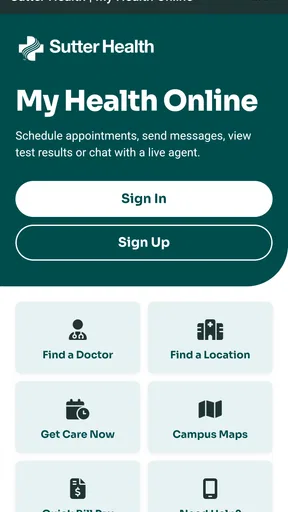
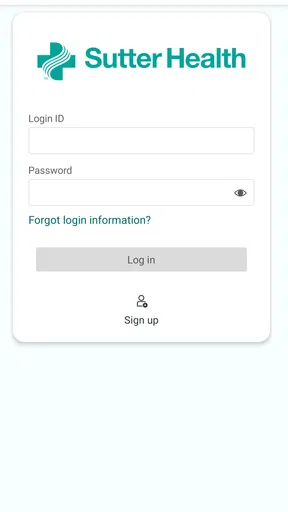
First things first, downloading and setting up Sutter Health My Health Online is a breeze. Available on both Android and iOS, you just head over to your respective app store, search for the app, and hit download. No rocket science here. Once you open the app, you'll need to create an account or sign in if you already have one. The interface is pretty straightforward, so even if you're not a tech whiz, you'll be navigating like a pro in no time.
Features at a Glance
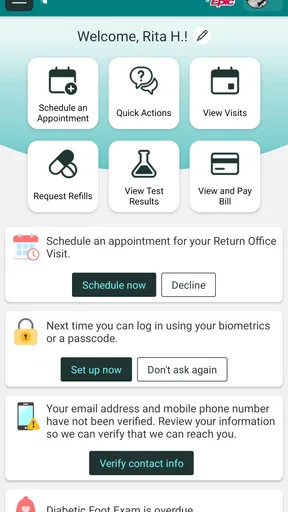
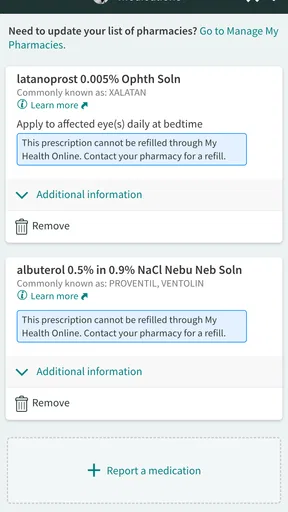
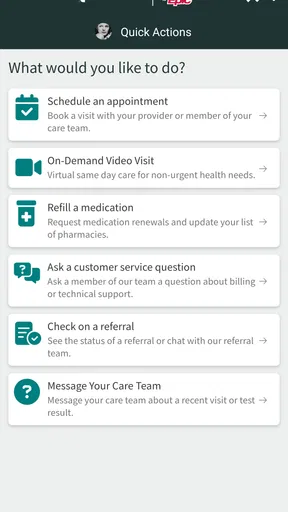
Now, let's talk features because this app is packed with them. From booking appointments to viewing test results, it’s all there. You can also send messages to your healthcare provider, refill prescriptions, and even pay your medical bills directly through the app. It's like having a mini health office right in your hands.
One of the standout features for me is the ability to access your entire medical history. Imagine having all your past consultations, lab results, and medications listed at your fingertips. This is not only convenient but also crucial during emergency situations.
A useful habit is to keep portal information in perspective: it can help me recall details and prepare for a conversation, but I would not treat a result or medication entry as a diagnosis on its own. If something looks unclear, I would note the question and ask the care team rather than trying to infer a conclusion from a screen. That small distinction makes a patient portal more helpful and less likely to create unnecessary worry.
Design and Usability
The design of the app is clean and intuitive. The developers have clearly put a lot of thought into making it user-friendly. The main dashboard gives you a quick snapshot of your upcoming appointments and recent messages, so you always know what's on your health radar.
Navigation is seamless with clearly labeled sections. Whether you need to check your test results or send a message to your doctor, everything is just a tap away. The app also supports fingerprint login, adding an extra layer of security, which I find pretty reassuring.
Even with a straightforward layout, a patient portal is only as convenient as the account behind it. I would avoid setting up access in a rushed moment, especially if I am helping a family member, and take care that the right person is using the right account. On a shared device, I would be particularly deliberate about signing out when finished. Fingerprint login can make returning easier, but it does not remove the need to protect the device and keep account access private.
Connectivity and Integration
One of the coolest aspects is how well Sutter Health My Health Online integrates with other health tools. For instance, it syncs with your device's calendar, so you never miss an appointment. Plus, if you’re using other health apps or wearables, you can often feed that data into your Sutter Health profile. This helps create a more comprehensive view of your health.
That kind of connection is most useful when it supports a specific conversation, not simply because more data is always better. Before relying on a synced calendar entry, I would check that the appointment details look right and keep any important instructions somewhere I can find them. If I use a separate health tracker, I would still distinguish its self-tracked readings from information in my medical record; they can complement each other without being interchangeable.
Who Is It For?
If you’re a patient within the Sutter Health network, this app is a no-brainer. It simplifies managing your health information and keeps you connected with your healthcare providers. Even if you're someone who's always on the go, the app ensures that your health information is always accessible, making life a whole lot easier.
It is especially appealing to someone who prefers checking routine details on a phone and wants to reduce the amount of paper or repeated calls involved in staying organized. It is less suitable for a person who expects every provider, pharmacy, or family member’s record to appear in one place. I would also skip it as a primary tool if I do not receive care through Sutter: a portal is most valuable when the organization behind it is actually part of my care.
For those who value privacy and security, rest easy. The app complies with all the necessary health information regulations, which means your data is in safe hands.
As with any app that gives access to sensitive information, I would pair that reassurance with ordinary caution. Use a device you trust, avoid sharing sign-in details, and keep a second way to contact the clinic available. Those habits are useful even when an app has security protections, because a convenient login should not encourage me to be casual about personal health information.
Keeping an eye on its development
The app was released on April 27, 2016, and its current version is 11.7.2, with Android 11 as the minimum operating-system requirement. That tells me the product has continued through multiple version changes, but a version number by itself does not reveal which tools changed or how a particular screen behaves. For someone already using it, the sensible approach is to check the current app experience after an update and confirm that familiar tasks—such as finding an appointment or opening a message—still fit their routine.
For a new user, I would treat the current version as the starting point rather than assume every function described by another patient will appear in exactly the same place. Health portals can depend on account access and the care relationship, so it is worth learning where the information you personally use is located. The more useful question to watch over time is whether updates make those everyday tasks clearer and more dependable, not simply whether the version number goes up.
Final Thoughts
Wrapping it up, Sutter Health My Health Online is a fantastic tool for anyone looking to streamline their healthcare management. It's efficient, easy to use, and downright essential for Sutter Health patients. So why not give it a try? With everything it offers, it's hard not to appreciate the convenience and peace of mind it brings.
Download the app today and take a step towards more organized and stress-free healthcare management. Trust me, your future self will thank you!
Pros
- Easy appointment scheduling interface.
- Secure messaging with healthcare providers.
- Access to test results quickly.
- Prescription refill requests are simple.
- User-friendly navigation and design.
Cons
- Limited features in offline mode.
- Occasional login issues reported.
- Some users find notifications intrusive.
- Requires stable internet connection.
- Limited customization for alerts.
FAQs for Sutter Health My Health Online
What features does the Sutter Health My Health Online app offer?
The Sutter Health My Health Online app provides users with a range of features, including secure access to personal health records, appointment scheduling, and prescription refills. Users can also message their healthcare providers, view test results, and manage billing. The app is designed to streamline communication and improve access to essential health services.
Is the Sutter Health My Health Online app secure?
Yes, the Sutter Health My Health Online app utilizes advanced security measures to protect user information. The app employs encryption protocols to safeguard personal health data, ensuring that it remains confidential. Regular updates and stringent privacy policies further enhance the security of the app, making it a trusted platform for managing health information.
Can I use the app to schedule appointments with my doctor?
Absolutely. The Sutter Health My Health Online app allows users to conveniently schedule or modify appointments with their healthcare providers. This feature helps eliminate the need for phone calls, providing an efficient and easy way to manage your healthcare schedule directly from your mobile device.
How do I access my test results on the app?
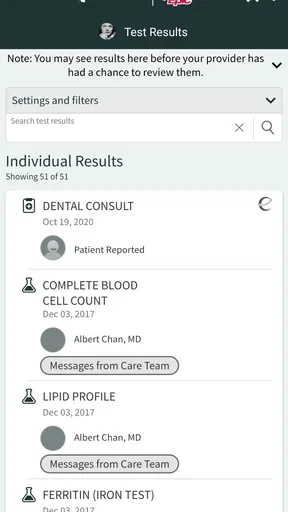
Accessing test results through the Sutter Health My Health Online app is straightforward. Once your healthcare provider has processed your results, they will be uploaded to the app. You can view them by navigating to the 'Test Results' section, where you will find detailed information and the option to discuss these results with your doctor.
What should I do if I encounter technical issues with the app?
If you experience any technical difficulties while using the Sutter Health My Health Online app, you can contact their customer support for assistance. The app provides a help section with troubleshooting tips, and you can reach out via phone or email. Support staff are available to resolve issues and ensure a smooth user experience.


